Introduction
When the world shifted to online education due to the COVID-19 pandemic, I noticed a significant problem that students, including myself, were facing. Our lectures and exams moved online, with many universities adopting an open-book exam format. While this meant we could use any of our study materials during exams, it also meant we had to sift through hundreds or even thousands of slides or pages to find the correct answer to a question.
I observed the stress and time-consuming nature of this process. Searching for one answer could take minutes, precious time that could be used to answer other questions during an exam. Not only during exams, but this issue also extended to our daily study routines. Accessing relevant information from a sea of documents became an increasingly daunting task.
Recognizing this pain point, I decided to develop OpenExam. I wanted to build a tool that would streamline the study process, making it more efficient and less stressful for students. OpenExam is designed to save time and improve productivity by quickly locating the required information from a massive corpus of study materials.
Moreover, I wanted to encourage proper study habits and academic integrity. OpenExam is not a tool to bypass learning; instead, it's designed to complement and aid the learning process. By providing a quicker way to reference materials, students can spend more time understanding and less time simply finding information.
In essence, I built OpenExam out of a personal need and a broader vision to enhance the learning experience in this new era of online education.
Requirement Gathering
Functional Requirements:
- Search Functionality: The application must include a text-based search feature capable of swiftly locating and presenting relevant information from stored study materials. It should accept keywords or phrases and return accurate results.
- Material Storage: The application must allow users to store their study materials in a text-based format, easily retrievable for searching.
- Material Organization: The application should facilitate the organization of study materials. This could include features to categorize notes by course or subject, a tagging system for easier retrieval, and a way to highlight or bookmark important points in the text.
- User Account Management: The application must handle user registration, login, and profile management. Users should be able to reset passwords and update their profile information.
Non-Functional Requirements:
- Performance: The search feature must be fast, with minimum lag time, as users will be using this tool during time-sensitive situations like exams.
- Scalability: The application should be scalable to support the growth in the number of users and increase in study materials.
- Usability: The application must be user-friendly, with a clean and intuitive interface that users can navigate easily.
- Security: The application must have strong security measures to protect user data. This includes secure login mechanisms and encrypted storage of user information.
- Compatibility: The application must be compatible across various platforms (like Windows, MacOS, Android, iOS) and web browsers (like Chrome, Firefox, Safari).
Constraints:
- Academic Integrity: The application must be designed and marketed with a focus on academic integrity. It should be clear that the application is intended to aid learning, not to facilitate cheating.
- Budget: The application development and maintenance must be feasible within the allocated budget.
By thoroughly examining these requirements, we can better plan for the development of OpenExam, ensuring it meets users' needs and complies with necessary regulations and restrictions.
Existing Systems
Before the development of OpenExam, students relied on various systems to manage their study materials, especially in the context of open-book exams in online learning. These systems had certain limitations that OpenExam seeks to address:
- Physical Notebooks and Printed Materials: Many students traditionally used physical notebooks and printed study materials. While these can be useful, they are not conducive to the digital, remote learning environment that has become prevalent. Searching through physical materials can be highly time-consuming and inefficient.
- Digital Documents and PDFs: Other students moved towards digital documents and PDFs for their study materials. While this allowed for some level of text search, it was limited. For instance, students would need to open multiple documents to search through them, and the search function might not be accurate or comprehensive.
- Online Learning Platforms: While online learning platforms like Moodle, Blackboard, or Google Classroom allow students to access course materials and assignments, they often lack efficient, cross-document search capabilities. Furthermore, these platforms are primarily designed for content delivery rather than efficient content retrieval.
- General Note-taking Apps: Apps like OneNote or Evernote provide platforms to take and organize digital notes, but they lack the exam-focused search functionality that OpenExam provides. Their search functions also can be limited, particularly when dealing with large volumes of text or across multiple documents.
OpenExam is designed to bridge these gaps by providing a focused, efficient, and user-friendly platform for storing, managing, and swiftly searching through study materials, optimized for the online learning environment.
System Architecture
Features
Text-Based Search Functionality: At the core of OpenExam is a robust search function that allows students to type in a question or keyword and receive immediate results from their stored study materials. This reduces the time taken to find relevant information during studying or exams.
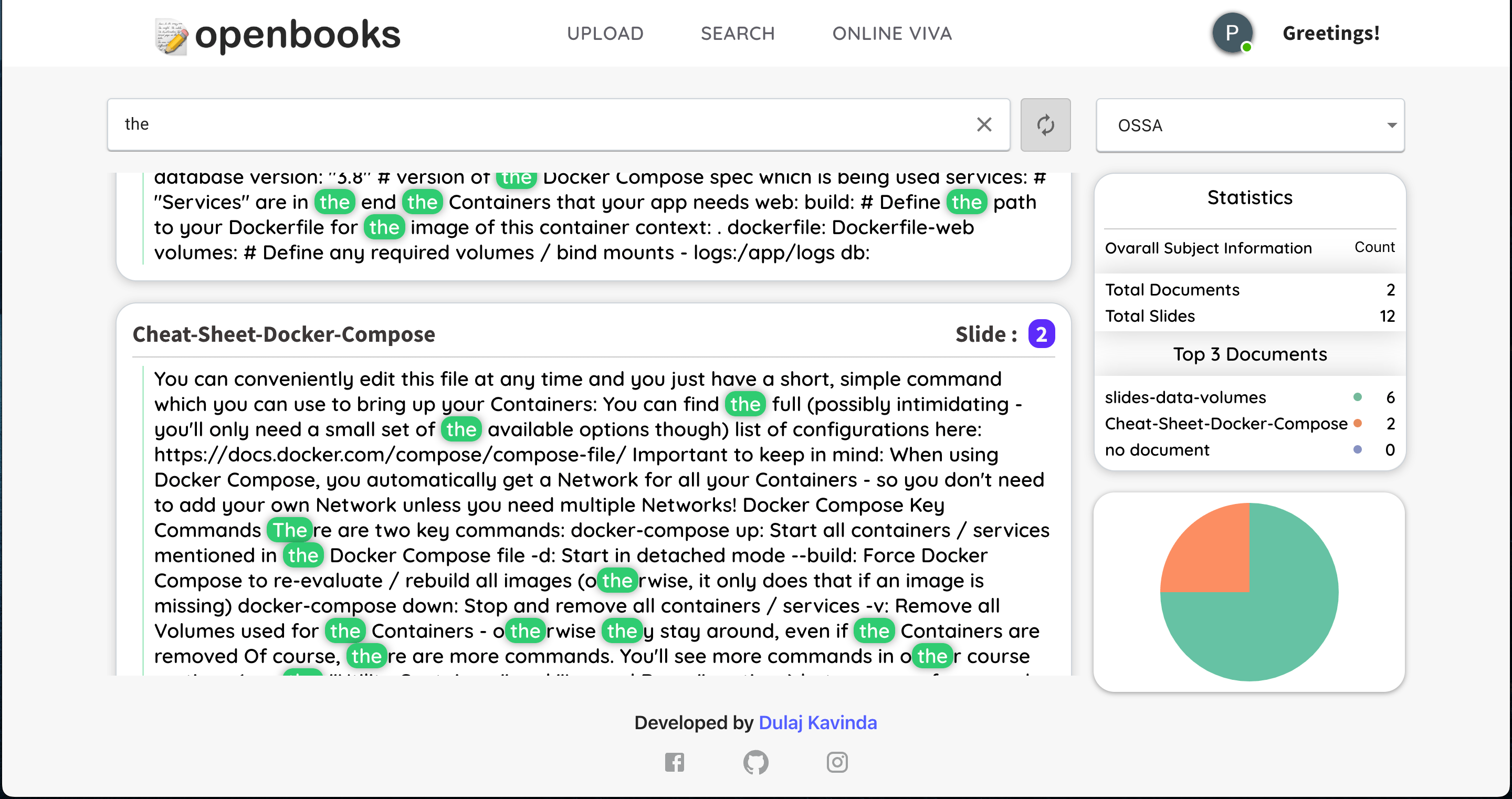
Material Storage and Organization: OpenExam provides a centralized platform where users can store all their study materials in text format. In addition to this, it provides features for organizing materials by subject or course, enabling users to manage their resources effectively.
Uploading PDFs or PPTXs
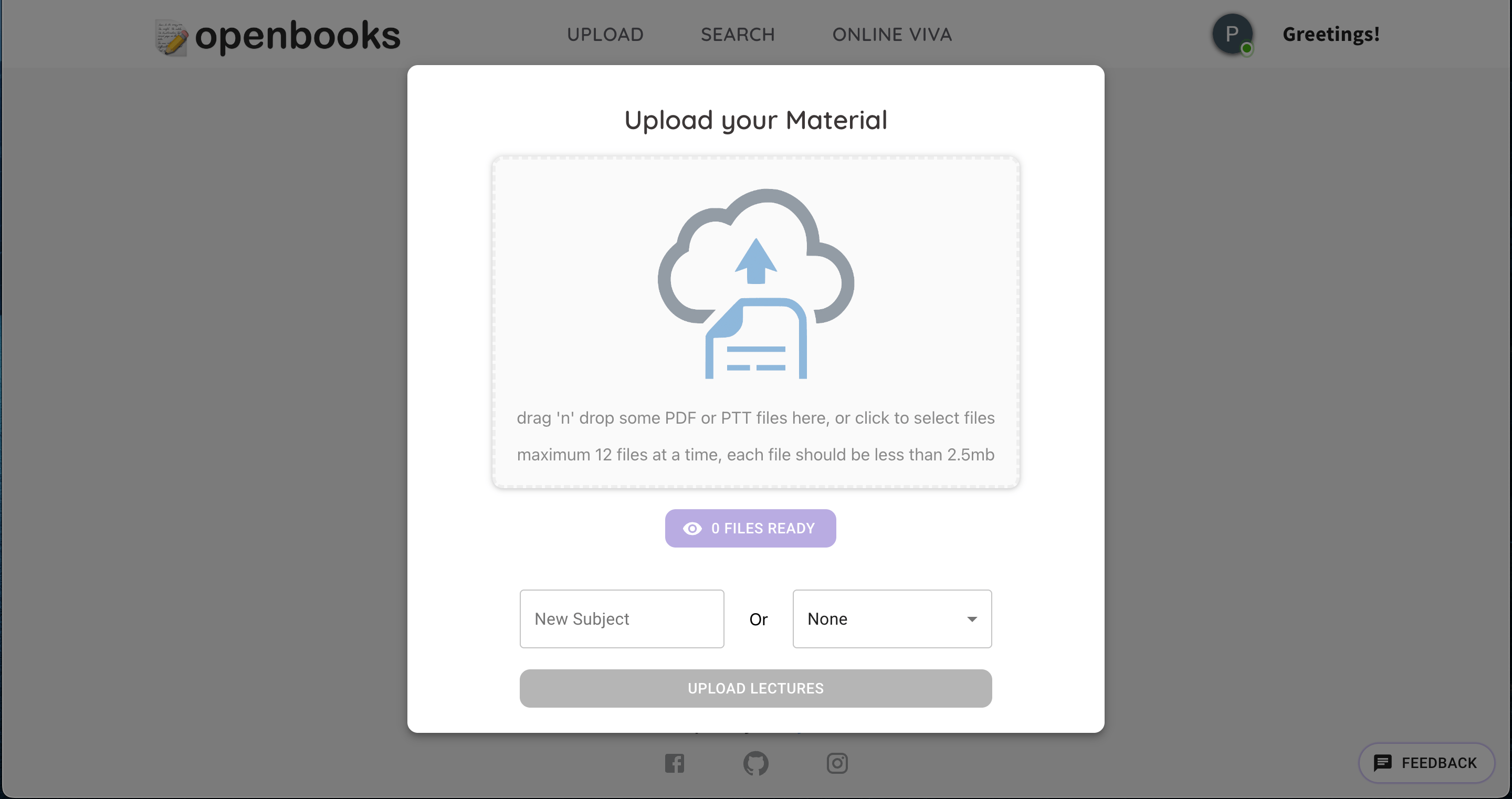
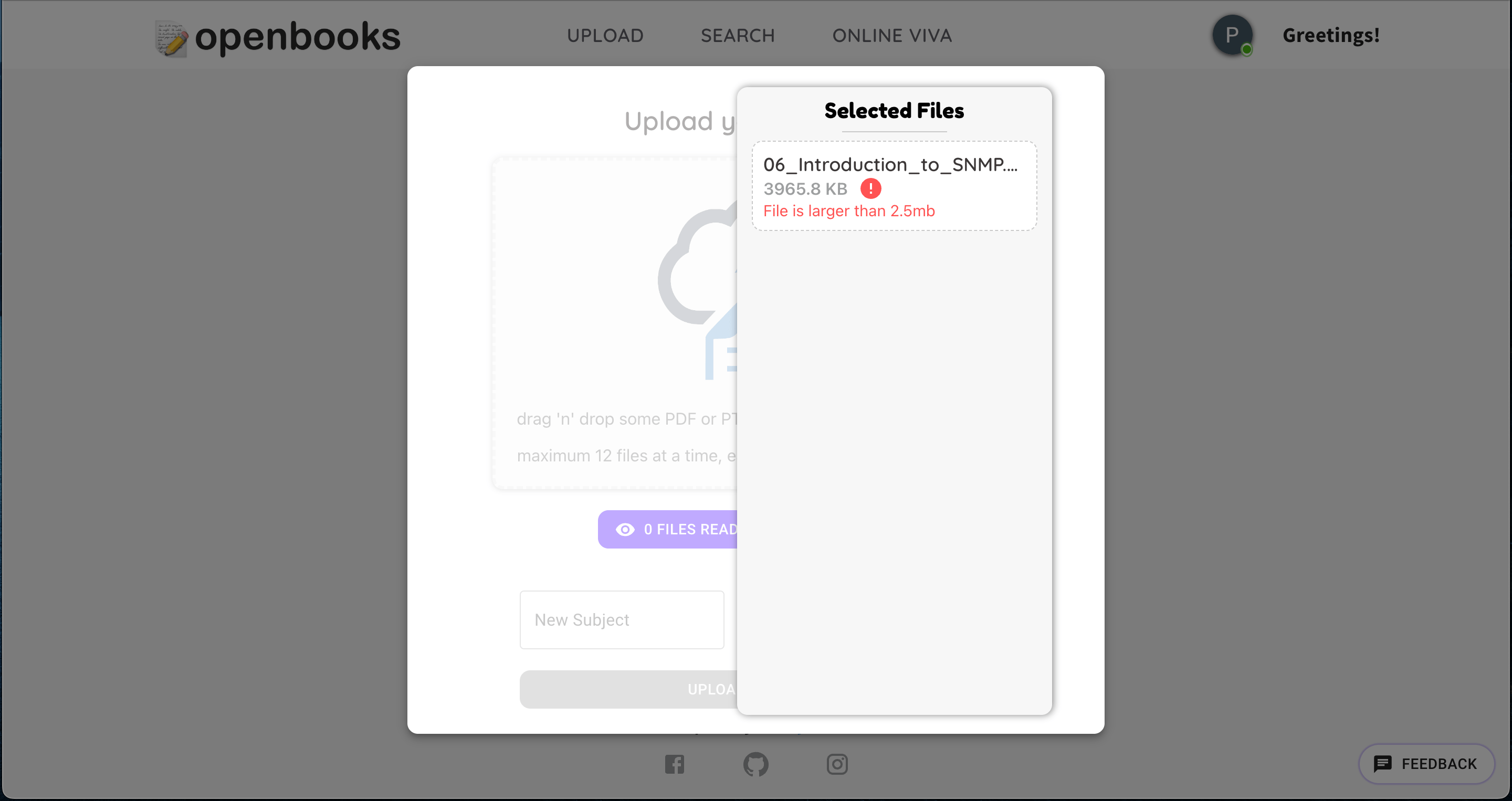
Only allow files that are less than 2.5mbs
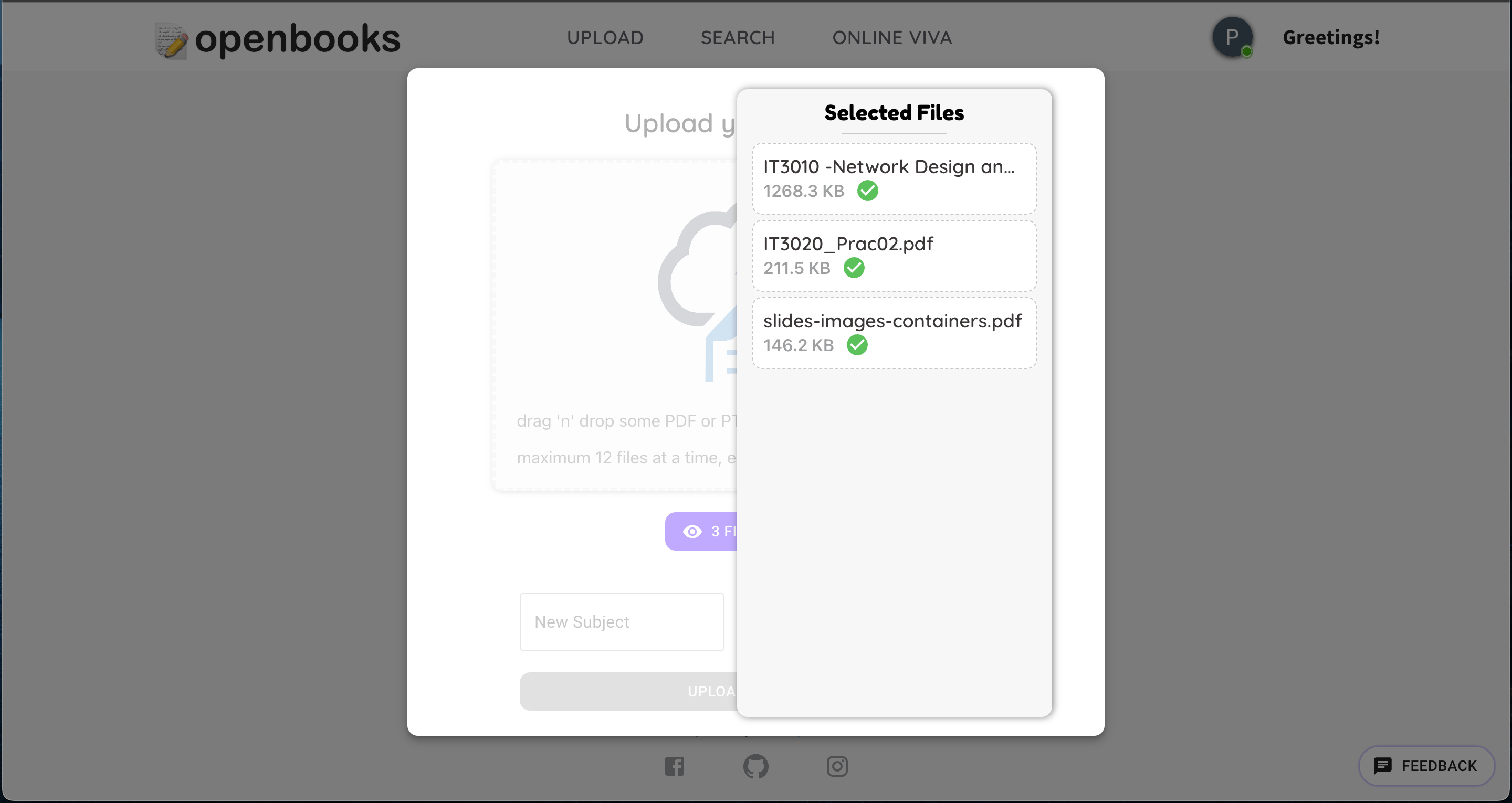
Upload multiple files
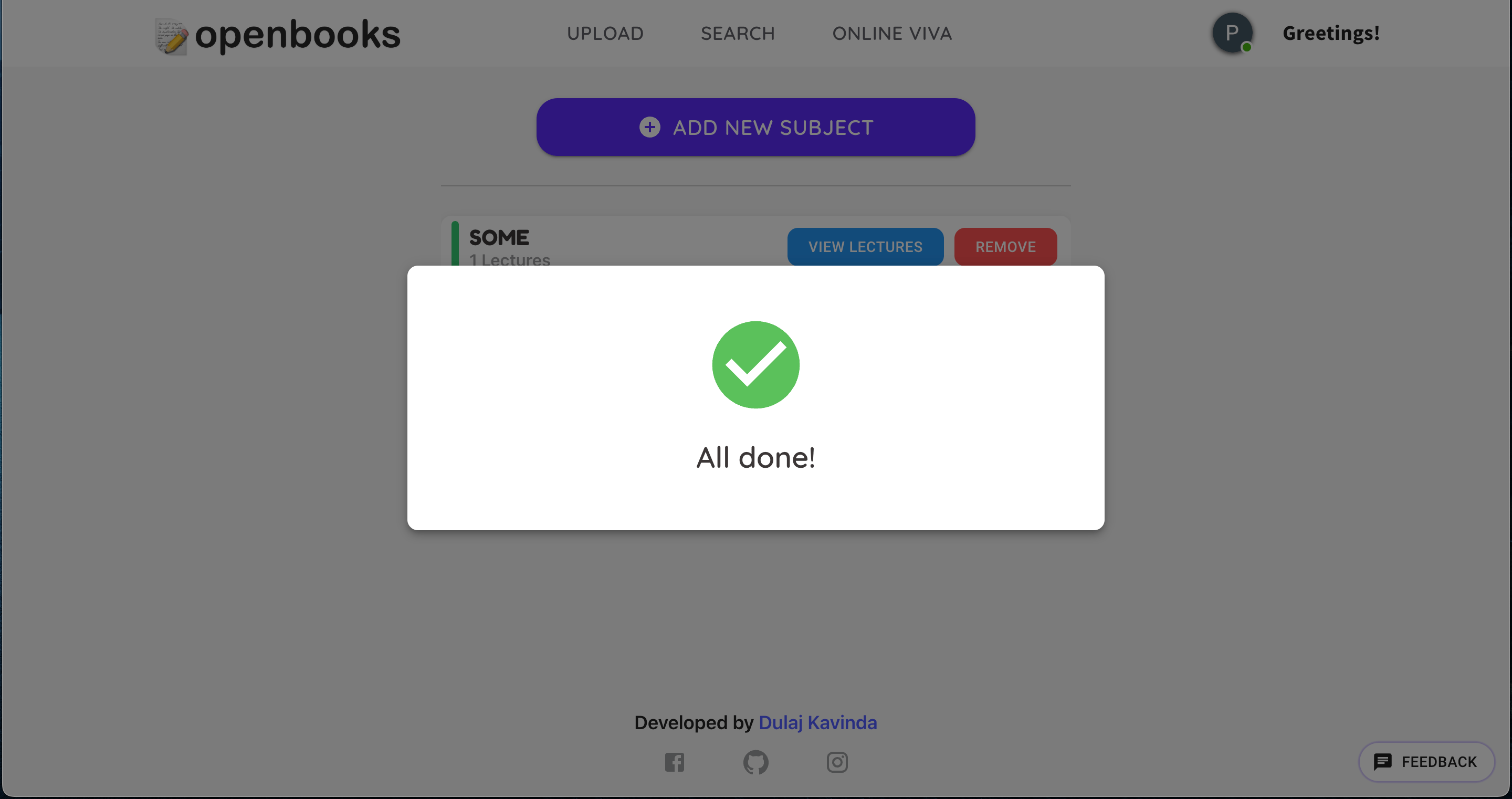
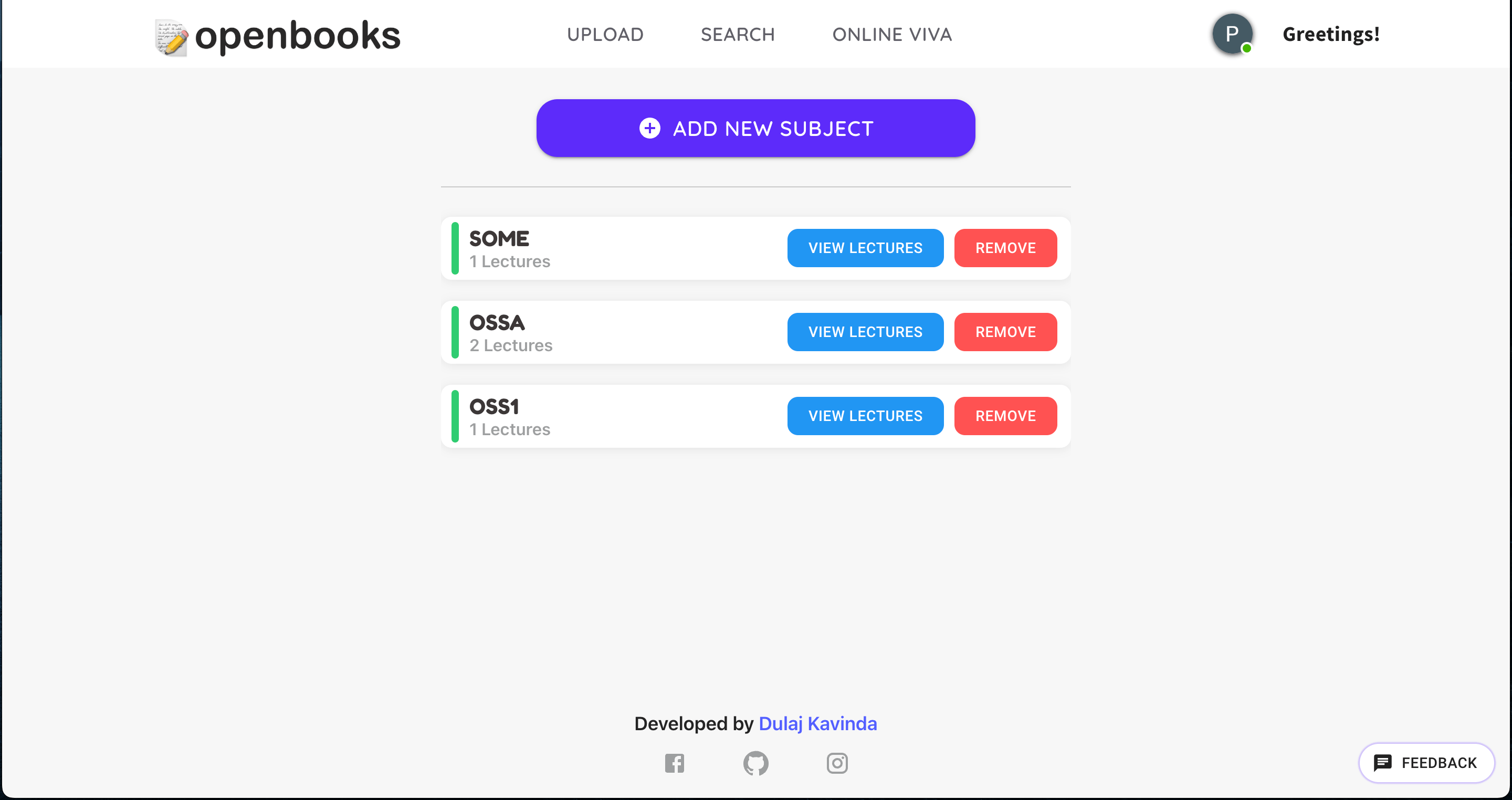
All the added subjects.
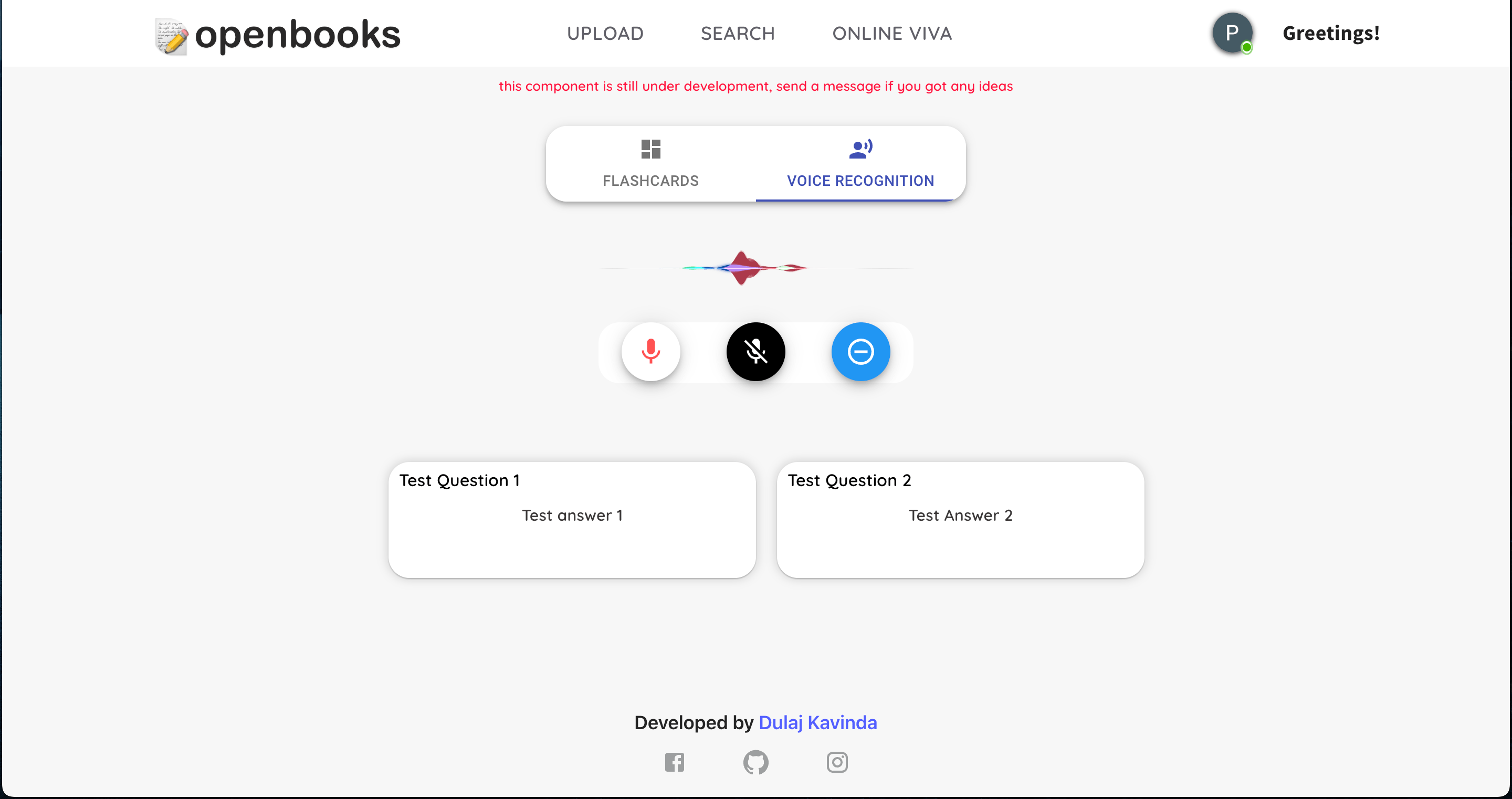
Voice Command Search: OpenExam includes an innovative feature that allows users to search their study materials using voice commands. This function leverages advanced voice recognition technology to interpret the user's query and swiftly return relevant results. It's particularly useful for hands-free operation or for those who prefer speaking their queries rather than typing them. This feature further enhances the user experience and accessibility of OpenExam, making it a truly versatile study aid in the digital learning era.
User Account Management: OpenExam includes features for user account management, such as user registration, login, password reset, and profile updates.
Cross-Platform Compatibility: OpenExam is designed to be compatible across various platforms and devices, offering flexibility to the user to access their study materials anytime, anywhere.
Machine Learning Integration (Future): As a future feature, OpenExam plans to incorporate machine learning algorithms to provide increasingly accurate and relevant search results based on user interactions and preferences. This would continuously improve the user experience and effectiveness of the application.
Through these features, OpenExam offers an integrated and efficient solution for students to manage and quickly retrieve information from their study materials in the context of online learning and open book exams
Implementation
The openexam system was developed leveraging modern web technologies and development practices. The frontend of the application was built using React. The backend was developed using Node.js, which enabled us to use JavaScript throughout, providing a seamless development experience.
In the implementation of openexam, a significant challenge encountered was extracting text from PDFs and PPTX files - two common formats for study materials. Upon extensive research, it was apparent that existing libraries did not satisfactorily address the specific requirements needed for efficient text extraction from these formats. As a result, the decision was made to develop two custom libraries for this purpose.
The first library was specifically focused on extracting text from PDF files. This library was crafted to not only extract textual data but also to handle various PDF complexities such as columns, footnotes, and text layers. The underlying architecture involved parsing the PDF binary format, decoding the embedded text, and reconstructing it in a usable form.
The second library was dedicated to handling PPTX files, which are essentially a collection of XML files in a ZIP container. The library was designed to open the container, parse through the XML files, and extract textual content from slides, including notes and annotations.
Both libraries were integrated into the openexam system, becoming a fundamental part of the text-based search functionality. They enabled the seamless ingestion of study materials in PDF and PPTX formats, which were then indexed and made searchable through the application. This custom development was critical in ensuring that openexam could effectively serve as a comprehensive study aid accommodating the common formats students use for their materials.
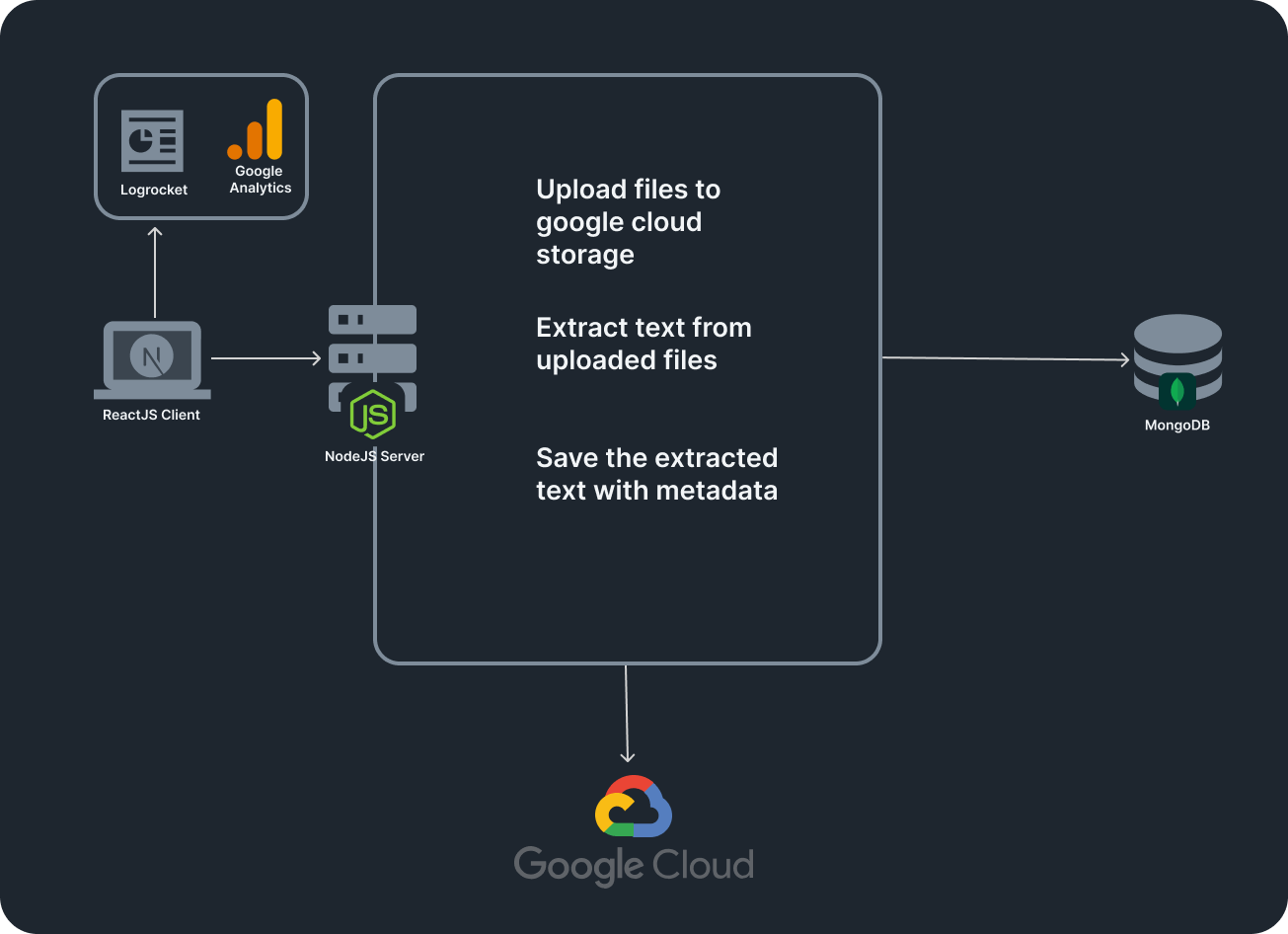
Once a user uploads a PDF or PPTX file to openexam, the system initiates a sequence of operations to handle the file efficiently. First, the uploaded file is securely saved in Google Cloud Storage, a scalable and reliable storage solution. Storing the file in the cloud ensures that it is safely backed up and makes it easily accessible for further processing.
const newPromise = new Promise((resolve, reject) => {blob.createWriteStream({metadata: { contentType: file.mimetype },resumable: false, // Good for small files}).on("finish", () => {const Url = `https://storage.googleapis.com/${bucket.name}/${blob.name}`;PublicUrls.push(Url);resolve({ name: file.originalname, url: Url });}).on("error", (err) => {reject("upload error: ", err);}).end(file.buffer);});
With the file stored in Google Cloud Storage, openexam proceeds to the text extraction phase. The two custom libraries developed for this purpose - one for PDFs and the other for PPTX files - are invoked depending on the file type. These libraries efficiently extract all the textual content from the uploaded file. The process involves parsing the file structures and decoding the embedded textual data. For PDFs, it means handling the complexities of the PDF format; for PPTX files, it involves parsing through the XML structure of the slides.
Promise.all(promises).then((response) => {if (PDFArray.length !== 0 && PPTXArray.length !== 0) {let extractedPDFs = extractPDF(PDFArray,foldername);let extractedPPTXs = extractPPTX(PPTXArray,foldername);Promise.all([extractedPDFs, extractedPPTXs]).then(function (payloads) {payloads[1].content.map((data) => {payloads[0].content.push(data);});res.status(200).send(payloads[0]);});}.catch((err) => {res.status(400).send(err.message);});
After the text extraction is complete, the extracted text is then saved in a MongoDB database. MongoDB is a NoSQL database that is highly scalable and adept at handling diverse data types, making it an ideal choice for storing the variable text data extracted from study materials. The database structure is designed to keep references between the original file stored in Google Cloud Storage and the extracted text in MongoDB. This way, the system maintains the integrity of the data and can efficiently serve it to the user when needed for search and retrieval operations within the openexam application.
let subject = new SubjectSchema({user_id,subject_name,content,});subject.save();
Challenges
- Text Processing and Search Efficiency: Building an efficient text search algorithm that can quickly and accurately retrieve relevant information from a large corpus of study materials can be a challenging task. It requires advanced text processing and indexing techniques.
- Voice Command Integration: Implementing a voice recognition system that accurately interprets user queries can be technically challenging, considering the variations in pronunciation, accent, and speech patterns across users.
- User Interface Design: Creating a user-friendly, intuitive interface that provides a seamless user experience is a complex task. It's essential to strike a balance between functionality and aesthetics.
- Cross-Platform Compatibility: Ensuring the application works smoothly across different platforms (Windows, MacOS, Android, iOS) and web browsers requires extensive testing and can be time-consuming.
- Scalability: Designing the application to handle a growing number of users and increase in stored study materials without compromising performance is a significant challenge. It requires robust backend architecture and potential use of cloud-based services.
- Promoting Academic Integrity: Encouraging the proper use of the application in line with academic integrity policies is an ongoing challenge. It's important to discourage misuse of the tool for cheating.
- Machine Learning Integration: Incorporating machine learning algorithms to improve search results based on user interactions is a complex task that requires a solid understanding of machine learning techniques and careful implementation.
Addressing these challenges is key to the successful development and deployment of the OpenExam application. With careful planning, technical expertise, and a user-centric approach, these challenges can be effectively managed.
Future Work
- Machine Learning Integration: We plan to integrate machine learning algorithms into the search function to improve its accuracy and relevance over time. By learning from user interactions and preferences, OpenExam could provide more tailored search results and enhance the overall user experience.
- Collaborative Features: A potential feature we're considering is the addition of collaborative tools that would allow users to share study materials or notes, collaborate on document annotations, or even study together in virtual study groups.
- Integration with Other Platforms: To make the study process even more seamless, we are planning to enable integration with popular educational platforms like Google Classroom, Moodle, or Blackboard. This way, students can directly import course materials into OpenExam.
- AI-Powered Summary Generation: A promising development would be an AI-powered feature that can generate concise summaries of the stored text materials, helping students to quickly understand the main points of a lengthy document or set of notes.
- Enhanced Voice Recognition Features: We aim to refine and expand our voice command search feature, potentially allowing users to carry out more operations via voice command, like note management and application navigation.
- Offline Functionality: Understanding the need for access to study materials even without internet access, we plan to develop an offline mode for OpenExam.
- User Feedback and Improvements: We will continually seek user feedback to understand their needs and experiences better. Based on this, we plan to make regular updates and improvements to openexam.
Enjoyed this post? Read the next one ↗