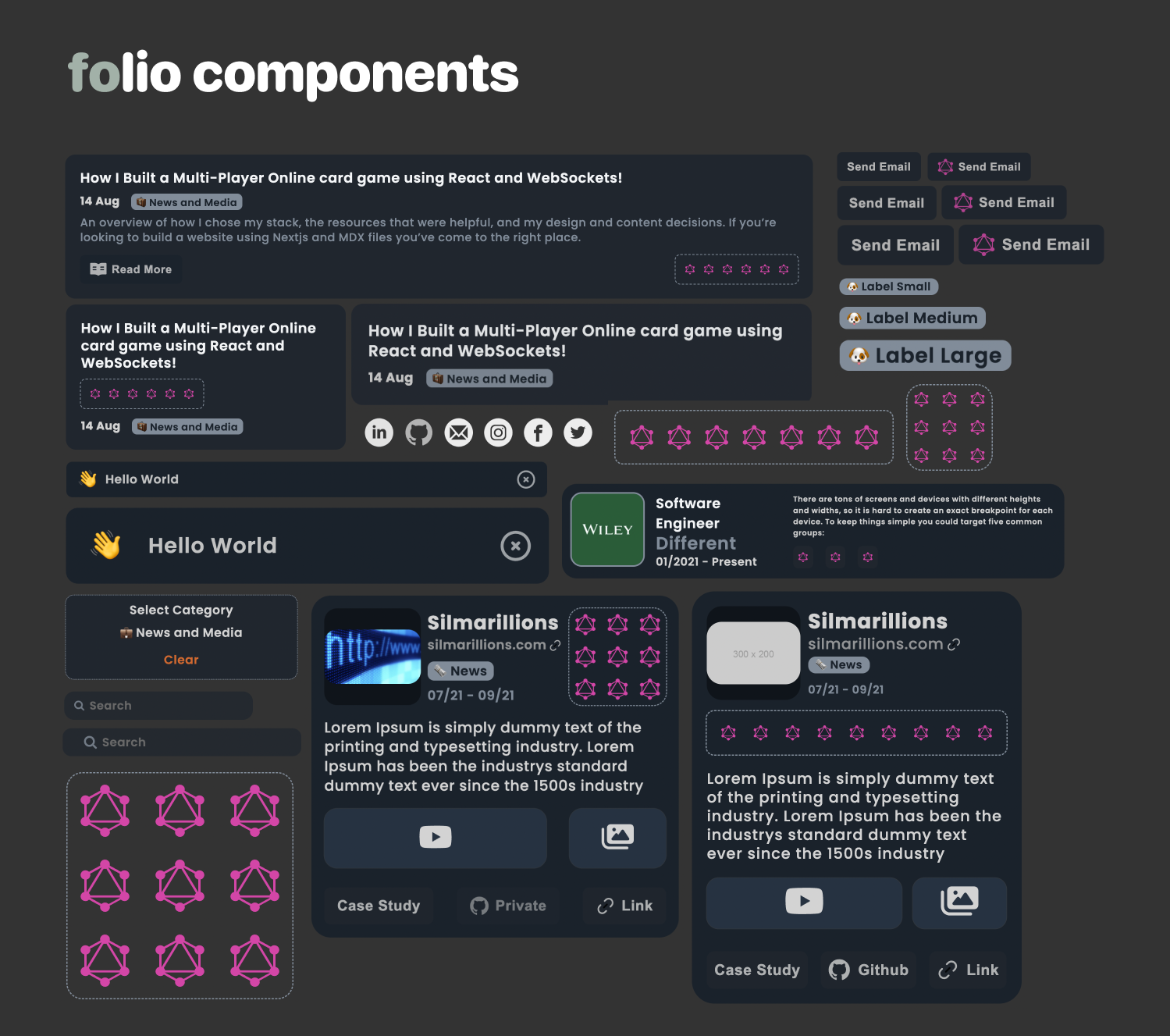
Hey there! Let me introduce you to folioUI, a React UI library that I've built specifically for people like you who want to create portfolios with simple and clean components. You know, I've always believed that a well-designed portfolio can make a huge difference in showcasing your work and skills.
So, I set out on a mission to develop folioUI, a tool that simplifies the whole process of building portfolios. I wanted to create a library that provides ready-to-use components for projects, experience, blogs, and more. No more starting from scratch or spending hours on complex design decisions – folioUI takes care of all that!
One thing I really focused on was ensuring that the components in folioUI are not only visually appealing but also easy to customize. You should be able to make your portfolio truly yours by tweaking colors, typography, and layout variations, all while maintaining a cohesive design.
And let's not forget about responsiveness! In this day and age, it's crucial that your portfolio looks great on any device. That's why I made sure that folioUI components adapt seamlessly to different screen sizes and devices, providing a top-notch user experience across the board.
To help you get started quickly, I've put together comprehensive documentation and examples. Whether you're a seasoned developer or just getting into React, you'll find all the guidance you need to integrate and use folioUI effectively.
Usage
Are you looking for a hassle-free way to create stunning portfolios with clean and simple components? Look no further! Introducing folioUI, a powerful React UI library designed to make portfolio creation a breeze. With folioUI, you can effortlessly showcase your projects, experiences, blogs, and more in a visually appealing and professional manner. Let's dive in and explore how to get started with folioUI.
Installation
To install folioUI, make sure you have Node.js and npm (or yarn) installed on your machine. Open your terminal and navigate to your project directory. Run the following command:
npm install folio-uiyarn add folio-ui
This will install the latest version of folioUI and its dependencies.
Usage
Once the installation is complete, you can import and use folioUI components in your React project. Here's a basic example of how to integrate folioUI into your application:
import React from 'react';import { Project, Experience } from 'folio-ui';const App = () => {return (<div><h1>My Portfolio</h1><Projecttitle="Project 1"description="Lorem ipsum dolor sit amet."/><Experiencetitle="Experience 1"company="ABC Corp"duration="2021-2022"/></div>);};export default App;
In the example above, we import the Project and Experience components from folioUI and use them within the App component. Feel free to explore other components offered by folioUI, such as Blog, Callout, or any other components that suit your portfolio needs.
Running the Project
To run your project and see folioUI in action, execute the following command in your terminal:
yarn start
This will start your development server, and you can view your portfolio by accessing http://localhost:3000 in your browser.
Customization
folioUI offers various customization options to help you personalize your portfolio according to your preferences. You can adjust colors, typography, and layout variations to create a unique and cohesive design. Check out the folioUI documentation for detailed instructions on how to customize different aspects of your portfolio.
Contributing and Support
folioUI is an open-source project, and contributions are always welcome. If you encounter any issues or have suggestions for improvement, please visit the GitHub repository and submit an issue or pull request.
For additional support, you can also reach out to the folioUI community on the GitHub repository's discussions page or join the official folioUI Discord server.
Conclusion
Creating a professional portfolio has never been easier with folioUI. By providing a wide range of simple and clean components, folioUI empowers you to showcase your work and achievements effectively. Install folioUI today, customize your portfolio, and let your talent shine!
Remember to regularly update folioUI by checking for new releases and incorporating the latest features and improvements into your project. Happy portfolio building!
Links
Enjoyed this post? Read the next one ↗